
Tech Zone IV, Gr. Noida West - 201306
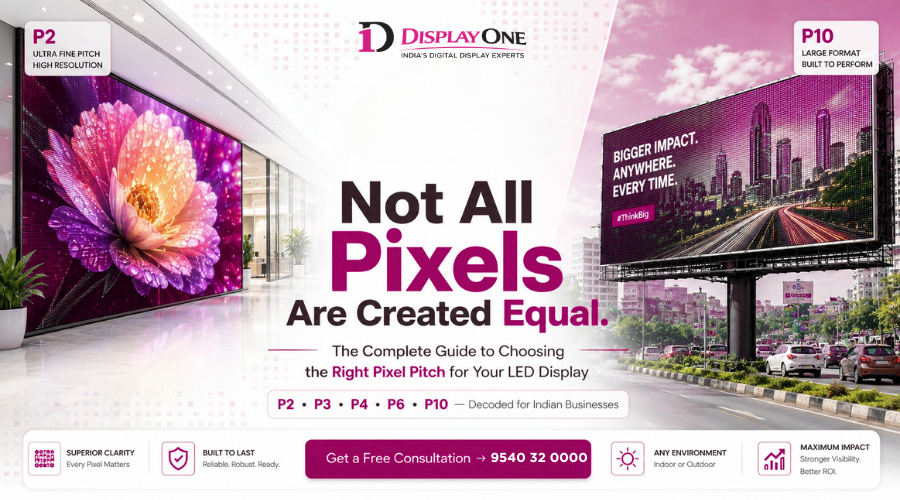
Choose the Right Pixel Pitch for LED Display
You've decided to invest in an LED display — great choice. But somewhere in the buying process, you've probably hit a wall of technical terms. Pixel pitch. P2. P4. Resolution density. Viewing distance. And suddenly, what felt like a straightforward purchase starts to feel overwhelming.
Here's the thing: choosing the wrong pixel pitch is one of the most common — and most costly — mistakes businesses make when buying LED displays. Go too fine and you overpay for resolution your audience will never notice. Go too coarse and your content looks pixelated and unprofessional.
In this guide, we'll break down exactly how to choose the right pixel pitch for your LED display — in plain language, with real-world Indian business examples — so you can make a confident, informed decision.
What Is Pixel Pitch in an LED Display?
Before you can choose the right pixel pitch, you need to understand what it actually means.
Pixel pitch refers to the distance (in millimetres) between the centres of two adjacent LED pixels on a display panel. So a P2 display has pixels spaced 2mm apart, a P3 display has pixels 3mm apart, and so on.
Here's the simple rule: the smaller the pixel pitch number, the higher the resolution — and typically, the higher the price.
Think of it like printing: a 300 DPI print looks sharp and crisp up close, while a 72 DPI print looks fine from a distance but blurry when you zoom in. Pixel pitch works the same way.
Pixel Pitch vs Resolution: What's the Difference?
Pixel pitch determines the density of pixels on the panel. Resolution (like Full HD or 4K) is the total count of pixels across the whole screen. A high pixel pitch (like P1.5) gives you more pixels per square metre, resulting in a sharper, more detailed image — especially important when viewers are standing close.
Why Viewing Distance Is the Most Important Factor
The single most critical variable in choosing pixel pitch is how far away your audience will be standing when they view the display.
Here's a practical rule of thumb widely used in the industry:
Minimum comfortable viewing distance (in metres) ≈ Pixel pitch (in mm) × 3 to 4
So for a P4 display, the minimum comfortable viewing distance is roughly 12–16 metres. For a P2 display, it's just 6–8 metres.
Real-World Indian Business Examples
- Retail showroom in a mall (Mumbai or Delhi): Customers browse within 2–5 metres of the display. A P2 or P2.5 indoor LED screen will look crisp and immersive.
- Corporate boardroom or conference room: Presentations are viewed from 3–8 metres. A P2.5 to P3 indoor LED wall is ideal — sharp without unnecessary expense.
- Outdoor hoarding on a highway (NH-48, Bengaluru Outer Ring Road): Drivers and commuters view from 20–50+ metres away. A P6 to P10 outdoor display is more than sufficient and significantly more cost-effective.
- Stadium or large event venue: Mixed distances from 10–60 metres. A P4 to P6 outdoor/semi-outdoor display balances quality and budget.
- Digital standee at an airport or hotel lobby: Viewed from 1–3 metres at close range. A P1.5 to P2 high resolution LED display ensures your brand looks premium.
Pixel Pitch Comparison: P2 vs P3 vs P4 LED Display
One of the most common questions we hear is: "What's the actual difference between P2, P3, and P4?" Here's a clear breakdown:
|
Pixel Pitch |
Pixel Density |
Best Viewing Distance |
Ideal Use Case |
|
P1.5 – P2 |
Very High |
2–6 metres |
Luxury retail, studios, boardrooms, digital standees |
|
P2.5 – P3 |
High |
4–9 metres |
Indoor events, malls, command centres, control rooms |
|
P3.5 – P4 |
Medium-High |
8–14 metres |
Large auditoriums, indoor arenas, exhibition halls |
|
P5 – P6 |
Medium |
12–20 metres |
Semi-outdoor, building facades, trade shows |
|
P8 – P10+ |
Standard |
20–50+ metres |
Outdoor billboards, highways, stadiums, large hoardings |
Which Pixel Pitch Is Best for Indoor LED Displays?
For most indoor LED display applications in India — whether it's a corporate lobby, retail store, restaurant, or event venue — a pixel pitch between P2 and P3 hits the sweet spot. It delivers high visual clarity without the premium cost of ultra-fine pitches.
For command-and-control rooms or broadcast studios where operators sit within 1–2 metres, P1.5 or P1.8 is worth the investment.
Which Pixel Pitch Is Best for Outdoor LED Displays?
For outdoor LED displays, the environment is harsh and viewing distances are large. A pixel pitch between P4 and P10 is the practical range for most outdoor applications in India:
- P4–P5: Semi-outdoor or large indoor (airport terminals, railway stations)
- P6–P8: Urban outdoor (rooftop hoardings, building wraps, retail parks)
- P8–P10: Highway billboards and large format outdoor media
Outdoor panels also need higher brightness (measured in nits), weather resistance (IP ratings), and heat management — none of which are affected by pixel pitch, but which DisplayOne factors in during its end-to-end consultation process.
How LED Display Pixel Pitch Affects Price
Let's address the elephant in the room: LED display pixel pitch and price are directly linked.
As pixel pitch decreases (i.e., resolution increases), the cost rises — sometimes significantly. Here's why:
- Smaller pixel pitches require more LED chips per square metre
- Manufacturing precision is higher, increasing production cost
- Driver ICs and PCB complexity increase
- Refresh rates and colour processing demands are more intensive
As a rough guide for the Indian market:
- P2 indoor panels can cost 2–3× more per square metre than P4 panels
- P1.5 fine-pitch panels can cost 4–5× more than P6 outdoor panels
This is why it's critical not to over-specify. A retail store owner in Pune who installs a P1.5 display for a screen viewed from 10 metres away is essentially spending lakhs of rupees on resolution their customers will never see.
At DisplayOne, we help clients find the optimum pixel pitch that maximises visual impact while staying within budget — no upselling, just honest advice.
Other Factors to Consider Alongside Pixel Pitch
Pixel pitch is critical, but it's not the only variable in choosing the right LED display. Here are five other factors you should weigh simultaneously:
- Brightness (nits): Outdoor displays typically need 5,000–10,000 nits. Indoor displays work well at 800–2,000 nits. Insufficient brightness in sunlit environments makes your display invisible.
- Refresh Rate: A higher refresh rate (≥3,840 Hz) ensures flicker-free footage, especially important if your display will be photographed or filmed (events, broadcasts, studios).
- Colour Accuracy & Calibration: For broadcast, luxury retail, or exhibition use, colour accuracy (measured by colour gamut and Delta-E values) matters as much as resolution.
- IP Rating (for outdoor): Outdoor LED displays need at least IP65 protection to withstand Indian monsoons, dust, and temperature variation.
- Panel Serviceability: Front-service panels are essential when the display is wall-mounted with no rear access — a common scenario in Indian malls and corporate offices.
How DisplayOne Helps You Choose the Right Pixel Pitch
Choosing the right pixel pitch isn't just about looking up a spec sheet. It requires a clear understanding of your space, your content, your audience, and your budget — and that's where professional consultation makes all the difference.
DisplayOne offers end-to-end LED display solutions across India, starting with a thorough site assessment and brief before a single panel is specified. Their process includes:
- Free consultation to understand your goals and environment
- Site survey to measure viewing distances, ambient light, and structural constraints
- Custom pixel pitch recommendation based on your exact use case
- Content-ready design so the display performs from day one
- Professional installation with trained technicians across India
- Long-term AMC and support to keep your investment performing for years
Whether you're looking for a high-resolution LED display for a premium retail flagship store in Connaught Place, an outdoor LED billboard in Hyderabad, or a digital standee for your hotel chain — DisplayOne has delivered solutions across every category.
Conclusion: Choose the Right Pixel Pitch — The First Time
Understanding how to choose the right pixel pitch for your LED display comes down to four key questions:
- How far away will your audience be?
- Will the display be indoors or outdoors?
- What content will you display (video, static graphics, data)?
- What is your budget?
Get these answers right, match them to the pixel pitch comparison chart above, and you'll have a display that delivers exactly what you need — without overspending.
If you're still unsure, the best step you can take is to speak with an expert who understands the Indian market and your specific industry. That's exactly what DisplayOne is here for.
Ready to find the perfect LED display solution for your business? Visit www.displayone.in or reach out to the DisplayOne team for a free consultation today.
FAQ
Frequently Asked Questions About Pixel Pitch in LED Displays
Q1: What is pixel pitch in an LED display, and why does it matter?
Pixel pitch is the distance in millimetres between the centres of two LED pixels. It determines the resolution density of the display. A smaller pixel pitch means more pixels per square metre, resulting in a sharper image. It matters because the right pixel pitch for your application determines both the visual quality your audience experiences and the price you pay. Choosing the wrong pixel pitch — too high or too low for your viewing distance — is one of the most common and costly LED display mistakes.
Q2: What pixel pitch is best for an indoor LED display?
For most indoor LED display applications — retail stores, corporate offices, hotels, event venues — a pixel pitch between P2 and P3 is ideal. If viewers will be within 2–3 metres (like in a luxury showroom or boardroom), a P1.5 to P2 high resolution LED display is recommended. For larger indoor spaces like auditoriums or malls where viewing distance exceeds 8–10 metres, P3 to P4 is perfectly sufficient and more cost-effective.
Q3: What is the difference between P2, P3, and P4 LED displays?
P2, P3, and P4 refer to the pixel pitch in millimetres. A P2 display has pixels spaced 2mm apart (very high resolution, best for close viewing at 4–6 metres). A P3 display has 3mm spacing (high resolution, suited for 6–10 metres). A P4 display has 4mm spacing (medium-high resolution, suited for 10–16 metres). Each step up in pitch number roughly doubles the viewable area requirement but significantly reduces cost per square metre. For most Indian business applications, P2–P4 covers most indoor needs.
Q4: Does a smaller pixel pitch always mean better quality?
Not necessarily — it means higher resolution, which is only useful if your audience is close enough to perceive it. A P1.5 display viewed from 20 metres will look identical to a P6 display from the same distance to the human eye. "Better quality" in LED displays is about matching the right resolution to the right viewing distance. Over-specifying pixel pitch means overpaying for resolution no one will see.
Q5: How does pixel pitch affect LED display price in India?
In the Indian market, pixel pitch has a direct and significant impact on LED display pricing. Fine-pitch panels (P1.5–P2) can cost 3–5 times more per square metre than standard outdoor pitches (P6–P10). This price difference stems from higher-density LED chips, greater manufacturing precision, and more complex electronics required for tighter pixel spacing. The key is to invest in the right pitch for your use case — DisplayOne's consultation team helps businesses across India find the optimal balance of quality and cost.